
Check the agent
The Sealforge agent runs in the taskbar tray (hexagon icon). Its hexagon is green when the anonymizer and the detector answer.
Switch it on for Codex
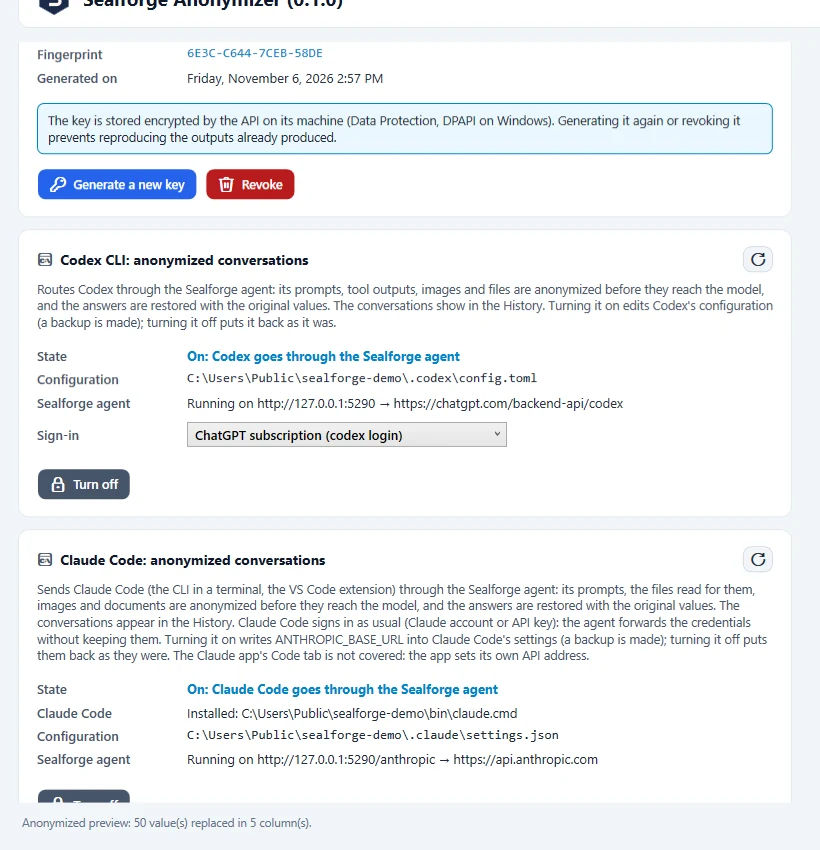
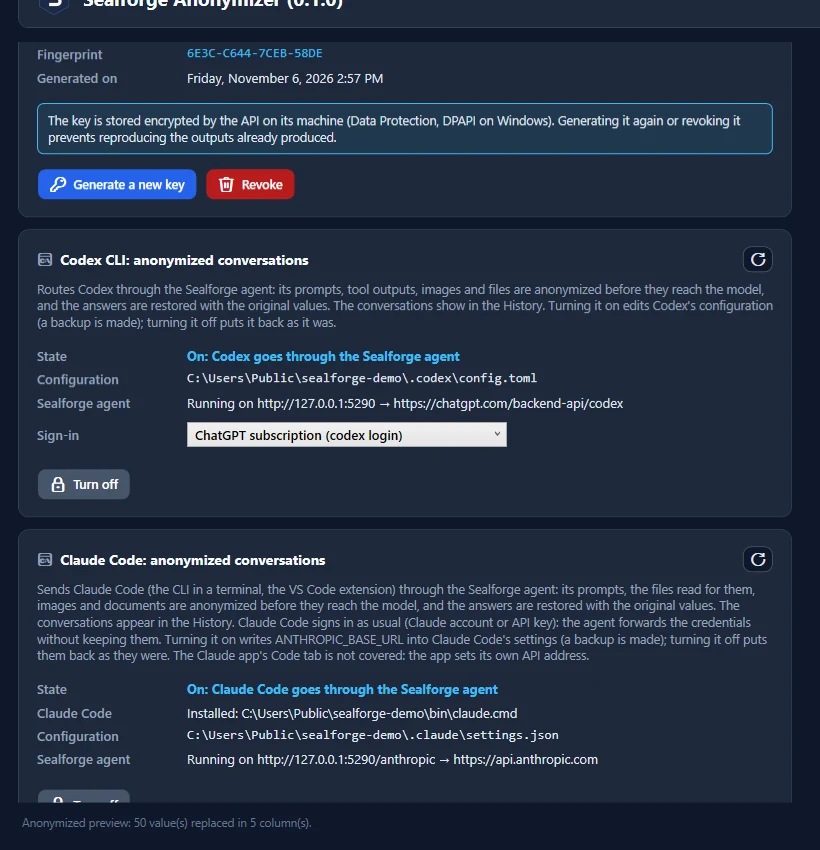
Settings → Codex: choose the sign-in (the ChatGPT subscription of codex login, or an OPENAI_API_KEY), then Turn on for Codex. The app adds the Sealforge provider to ~/.codex/config.toml, after making a copy of it.
Restart Codex
Open a new codex session in the terminal, or restart the Codex app: both read the same configuration. Nothing else changes in the way you work.
Follow what goes out
For each pseudonymized request, a notification sums up what was replaced. A click opens the activity window: what was sent to the model next to the original, and the model's answer next to what Codex received.
Switch it off
The same button, now Turn off, puts config.toml back exactly as it was.
In Codex and Claude Code
What Codex does, and what the model sees, once the agent is on.
Codex
- The model only receives tokens; Codex runs its commands and writes its files with the real values.
- Data files read by tools: pseudonymized; code files: as they are.
- System instructions and
AGENTS.mdare sent as they are (configurable). - Agent stopped: Codex can no longer reach the model, nothing goes out in clear.
Claude Code
- Claude Code is set up separately: see the Claude Code guide.
- The same agent serves both tools, each with its own history.