
Register the server with your assistants
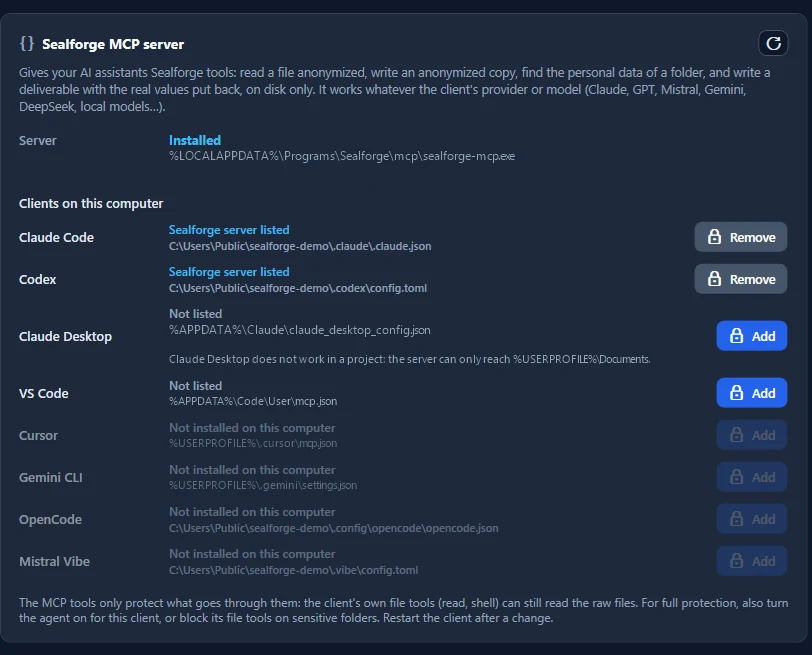
Settings → MCP server, then Add next to each client: Claude Code, Codex, Claude Desktop, VS Code, Cursor, Gemini CLI, OpenCode and Mistral Vibe. The app only writes the sealforge entry in their configuration, after a backup copy, and removes it just as cleanly. Then restart the client.
By hand, for example for Claude Code:
claude mcp add sealforge -- "%LOCALAPPDATA%\Programs\Sealforge\mcp\sealforge-mcp.exe"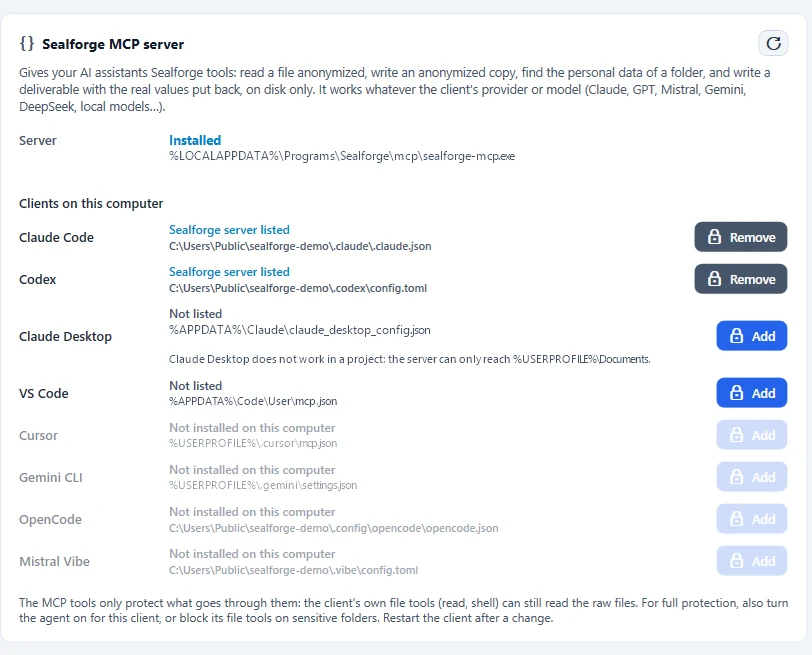
Ask the assistant to read a file
Just ask: “Read clients.csv with Sealforge and prepare a summary.” The assistant calls read_file_anonymized: it gets tokens such as [[LAST_NAME_1]] instead of the values, and the same person keeps the same token from one file to the next, images included.
read_file_anonymized | text, CSV, JSON, XML pseudonymized; images masked |
anonymize_file | writes a pseudonymized copy: text, Excel, images, PDF |
scan_folder | finds the files and columns holding personal data, never showing the values |
restore_to_file | writes the deliverable with the real values, to disk |
list_strategies, status | available strategies, state of Sealforge and of the licence |
Your strategies apply
The server applies the default global strategy saved in the app: categories left in clear, each category's strategy, and image masking (label, pixelate…). Ask for another one by name (“with the Clients strategy”); with no saved strategy, the assistant gets numbered tokens.
**** mask or a hash cannot be put back: the assistant is told so.Write the deliverable with the real values
The assistant writes with the tokens, then calls restore_to_file: the letter, report or fixed file is written to disk with the real values. It only gets back the number of values put back. The conversation shows in the app's History, with the assistant's name.
In Codex and Claude Code
The MCP server and the agent complement each other: the agent pseudonymizes everything that leaves, the server has files read by Sealforge.
Codex
- Registered in
~/.codex/config.toml([mcp_servers.sealforge]), next to the agent's setting: each is turned on and off without touching the other. - With the agent on, even what Codex reads through its shell is pseudonymized before it leaves.
Claude Code
- Registered for all your projects (
claude mcp add --scope user). - To make Sealforge read the files, forbid the Read tool on sensitive folders (
permissions.deny), or turn the agent on. - The server also works from Claude Desktop.